Does My Phone Have a Walking Tracker? Here’s How to Check and Use It
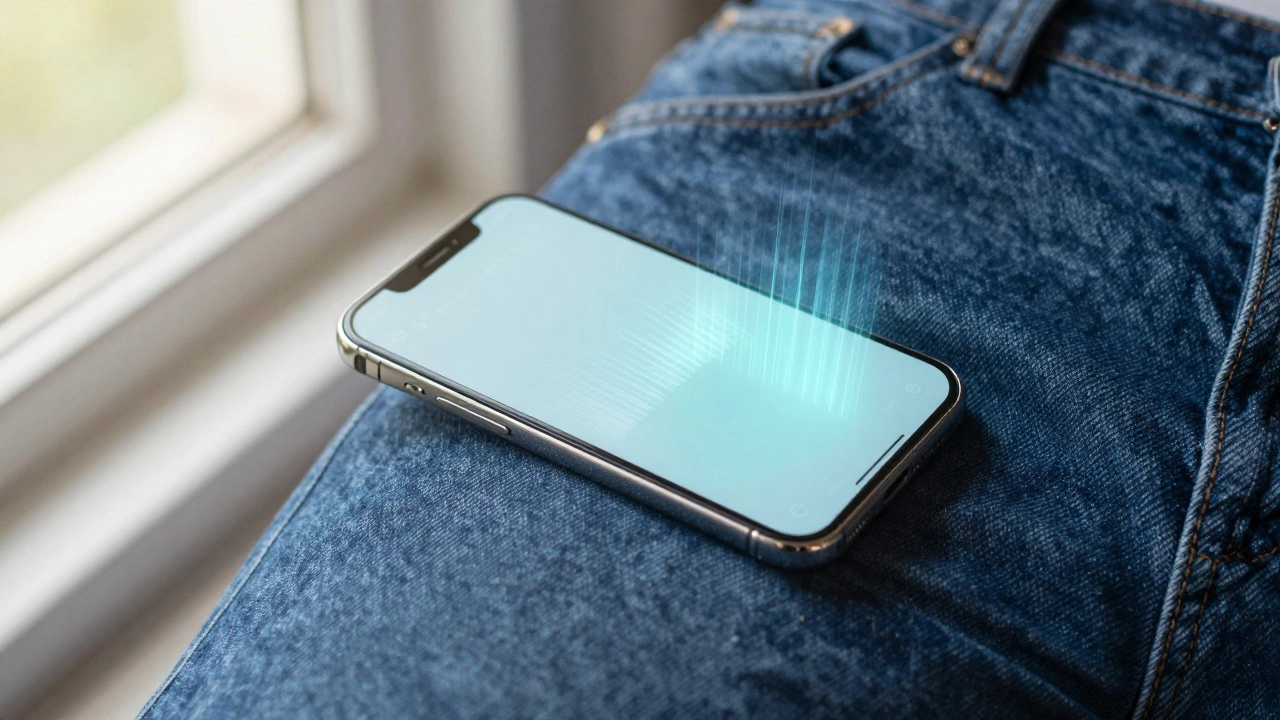
Most people don’t realize it, but the phone in your pocket is already a fitness tracker. You don’t need to buy a smartwatch or clip on a fitness band-your phone has been counting your steps for years. But if you’ve never checked, you might not even know it’s working. So, does your phone have a walking tracker? The answer is almost certainly yes. And here’s how to find it, turn it on, and make sure it’s accurate.
How Your Phone Tracks Your Steps
Your phone has a built-in motion sensor called an accelerometer. It detects movement in three directions-up and down, side to side, and forward and back. When you walk, your phone bounces slightly with each step. The software reads these tiny vibrations and turns them into step counts. It’s not perfect, but it’s good enough for everyday use. Apple, Samsung, Google, and most other major phone makers have been doing this since at least 2014.
On iPhones, this feature is called Health. On Android phones, it’s usually part of Google Fit or built into the Settings app under Digital Wellbeing or Activity. Even budget phones from brands like Xiaomi or Motorola include basic step tracking. You don’t need to install an app-unless you want more detail.
How to Check If Your Phone Is Tracking Steps
Let’s go through the most common setups.
iPhone Users
Open the Health app. If you don’t see it, it’s pre-installed-just search for it in Spotlight. Tap Browse at the bottom, then select Activity. Scroll down to Steps. If you see a graph with numbers, your phone is tracking. If it says Data Not Available, go to Health Data > Activity > Steps and tap Show Data on Dashboard. Then make sure Privacy > Health > Motion & Fitness is turned on in Settings.
Android Users
Open the Google Fit app. If you don’t have it, download it from the Play Store-it’s free and works on most Android phones. When you open it, you’ll see your step count right on the home screen. If you don’t see steps, tap your profile picture > Settings > Enable step counting. Some Samsung phones have a built-in Samsung Health app that works the same way. On Pixel phones, step tracking is built into Settings > Digital Wellbeing > Dashboard > Phone Usage.
How Accurate Is Phone Step Tracking?
Phones are about 85-90% accurate under normal conditions. That means if you walk 10,000 steps, your phone might count 8,500 to 9,500. Accuracy drops if you carry your phone in a bag, put it in your coat pocket, or leave it on the table while walking the dog. The sensor works best when the phone is in your pants or jacket pocket, or in a hand-held position.
One common mistake people make is thinking their phone counts every single movement as a step. It doesn’t. If you’re shaking your phone while driving or riding a bus, it won’t count those as steps. The algorithm filters out non-walking motion. But if you’re pushing a stroller or carrying groceries, your step count might be slightly lower because your arms aren’t swinging normally.
For comparison, a dedicated fitness band like a Fitbit or Garmin is about 95% accurate. But for most people, a phone is close enough. You’re not trying to win a marathon-you’re trying to move more.

What If My Phone Isn’t Tracking Steps?
Here’s what to check if your phone says zero steps:
- Is Motion & Fitness enabled? On iPhone: Settings > Privacy > Motion & Fitness > toggle on. On Android: Settings > Apps > Google Fit > Permissions > make sure Sensor access is allowed.
- Is the app running in the background? Some phones kill apps to save battery. Go to Battery Settings and make sure Health or Google Fit isn’t being restricted.
- Did you recently reset your phone? Step data doesn’t automatically transfer after a factory reset. You’ll need to re-enable tracking.
- Is your phone too old? Phones before 2013 usually don’t have reliable step counters. If you’re still using an iPhone 5 or Galaxy S4, it’s time to upgrade.
If you’ve checked all that and it still doesn’t work, try installing a third-party app like Step Counter (Android) or StepsApp (iOS). These apps use the same sensors but sometimes trigger the hardware more reliably.
Why You Should Care About Step Counting
Walking 7,000-10,000 steps a day is linked to lower risks of heart disease, diabetes, and depression. A 2023 study from the University of Cambridge found that people who walked 8,000 steps daily had a 51% lower risk of dying from any cause compared to those who walked only 4,000. You don’t need to hit 10,000 every day. Even 5,000 steps is a solid start.
Using your phone’s tracker helps you notice patterns. Maybe you walk 3,000 steps on weekdays but only 1,200 on weekends. That’s useful info. You can adjust your routine-take a walk after dinner, park farther from the store, or take the stairs instead of the elevator. Small changes add up.
And you don’t need to obsess over the number. Use it as a gentle nudge, not a punishment. If you hit 6,000 steps one day, celebrate it. If you only hit 2,000, don’t stress-just try to add 500 more tomorrow.
How to Make Step Tracking Easier
Here are three simple tricks to keep your phone tracking consistently:
- Keep it in your pocket. Don’t leave it in your purse, backpack, or on your desk. Your pants pocket is ideal.
- Turn on notifications. On iPhone, go to Health > Browse > Steps > Share with > Notifications. Set a daily goal and get a gentle reminder at 4 PM if you’re behind.
- Sync it with your watch. If you have a smartwatch, pair it with your phone. The watch will track steps more accurately and send the data to your phone.
Some people forget to charge their phones. If that’s you, set a reminder to plug it in at night. Step tracking uses almost no battery-so even if your phone is at 15%, it’ll still count your steps.
What About Smartwatches? Do You Need One?
Smartwatches are better at tracking steps because they’re worn on the wrist and have more precise sensors. They also track heart rate, sleep, and workouts. But they cost $150-$400. Your phone does the basics for free.
If you’re just trying to move more, your phone is enough. If you’re training for a race, monitoring heart health, or want sleep data, then a watch makes sense. But don’t let the lack of a smartwatch stop you from walking more. Your phone is already doing the hard part.
Final Thought: Your Phone Is Already a Fitness Tool
You don’t need fancy gear to get fit. You just need to move. And your phone is already counting your steps, whether you know it or not. All you have to do is check the numbers, set a small goal, and take one extra walk today. That’s how habits start. Not with a new device. With a simple decision to notice what’s already there.
Does every smartphone have a step counter?
Almost all smartphones made since 2013 have a built-in step counter using the accelerometer. iPhones, Android phones from Samsung, Google, Xiaomi, and others all include this feature. Very old phones (pre-2013) or budget models without motion sensors may not support it.
Do I need to install an app to track steps?
No. iPhones use the Health app, and most Android phones use Google Fit or built-in activity tracking. These come pre-installed. You only need a third-party app if your phone’s built-in tracker isn’t working or you want extra features like maps or workout types.
Why does my phone show different steps than my fitness band?
Fitness bands usually have more accurate sensors and are worn on the wrist, which moves more naturally with walking. Phones in pockets can miss steps if you’re carrying heavy items or walking slowly. A 5-10% difference is normal. Trust the trend, not the exact number.
Can my phone track steps if it’s in my bag?
It might, but not reliably. The sensor needs consistent motion patterns to recognize steps. If your phone is jostling around in a bag, it may count fewer steps or misread vibrations as non-walking movement. For best results, keep it in your pocket.
Will step tracking drain my phone’s battery?
No. Step tracking uses the phone’s existing motion sensor and runs in the background with minimal power. Most users won’t notice any difference in battery life. Even with all-day tracking, it typically uses less than 1-2% of battery per day.